
Live Assist: a quiet coach on your sales call
Live Assist listens to your call in note2it and, every twenty seconds or so, suggests what to ask next, which commitments to write down, and which MEDDIC points are still open. Every suggestion quotes the words it heard, and nothing reaches your page until you tap. How it works, what it costs, and where it can be wrong.
You know the moment. The call ended ten minutes ago, you are writing it up, and you realize nobody asked who signs the contract. The buyer told you the pain, the numbers, the timeline, even who would run the pilot. The one question that decides whether the deal closes this quarter never came up, and now it is an email.
Notes taken after a call can only tell you what you missed. We wanted notes that tell you while the other person is still on the line. That is Live Assist.
Every screenshot below is real output. We scripted a three-minute discovery call between a seller and a VP of Operations at a fictional logistics company, played it into note2it, and let Live Assist listen. A real call is longer; the steps are the same.
Start it in three clicks
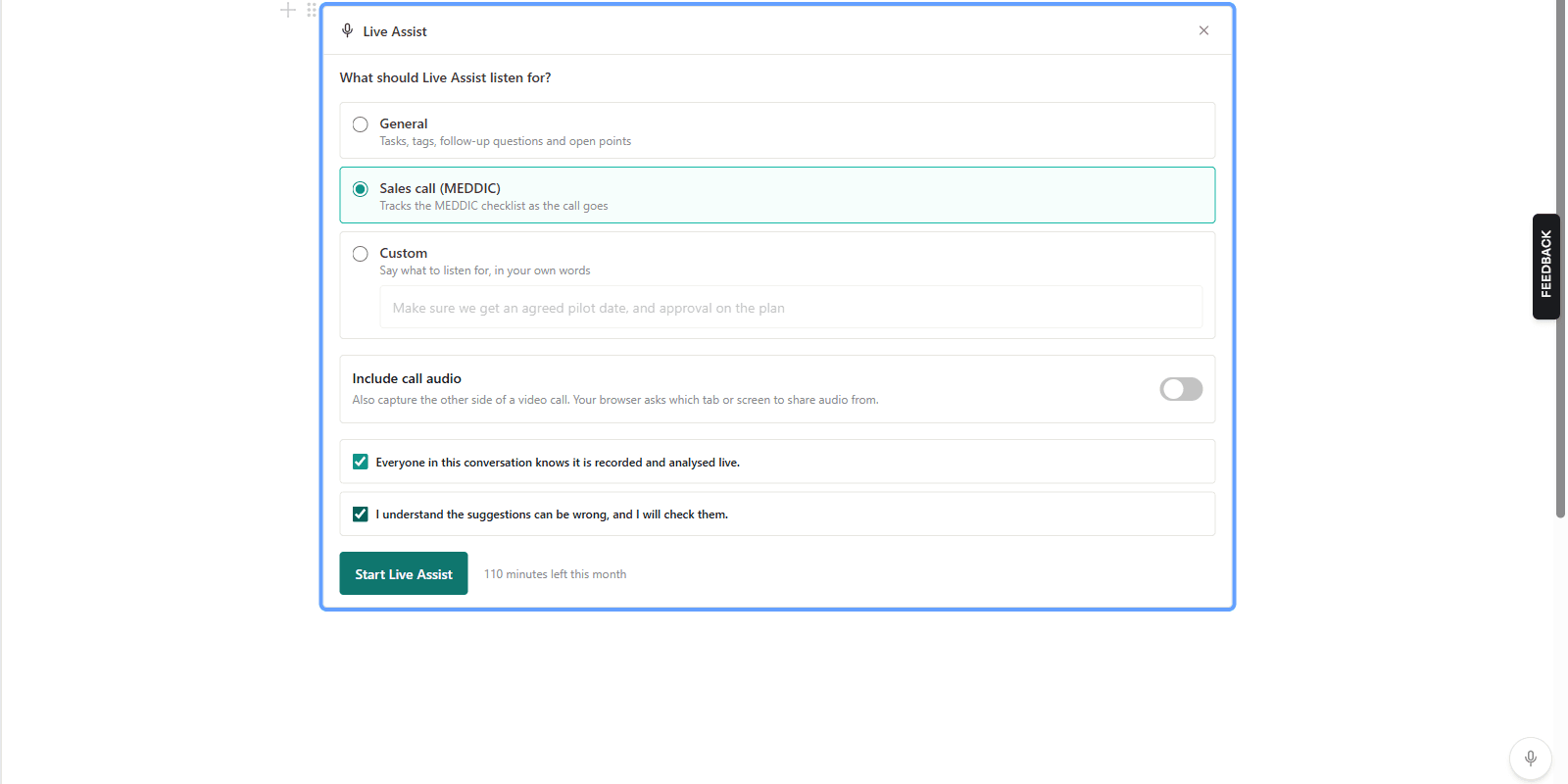
On any page, type / and choose Live Assist. Pick what it should listen for: General, Sales call (MEDDIC), one of your own live skills, or Custom, where you say it in your own words ("make sure we get an agreed pilot date").
Before it starts you confirm two things, every time: that everyone in the conversation knows it is recorded and analysed live, and that you understand the suggestions can be wrong. Then press Start Live Assist. If the other side is on a video call, one switch adds the call's audio to your microphone.
What you see while you talk
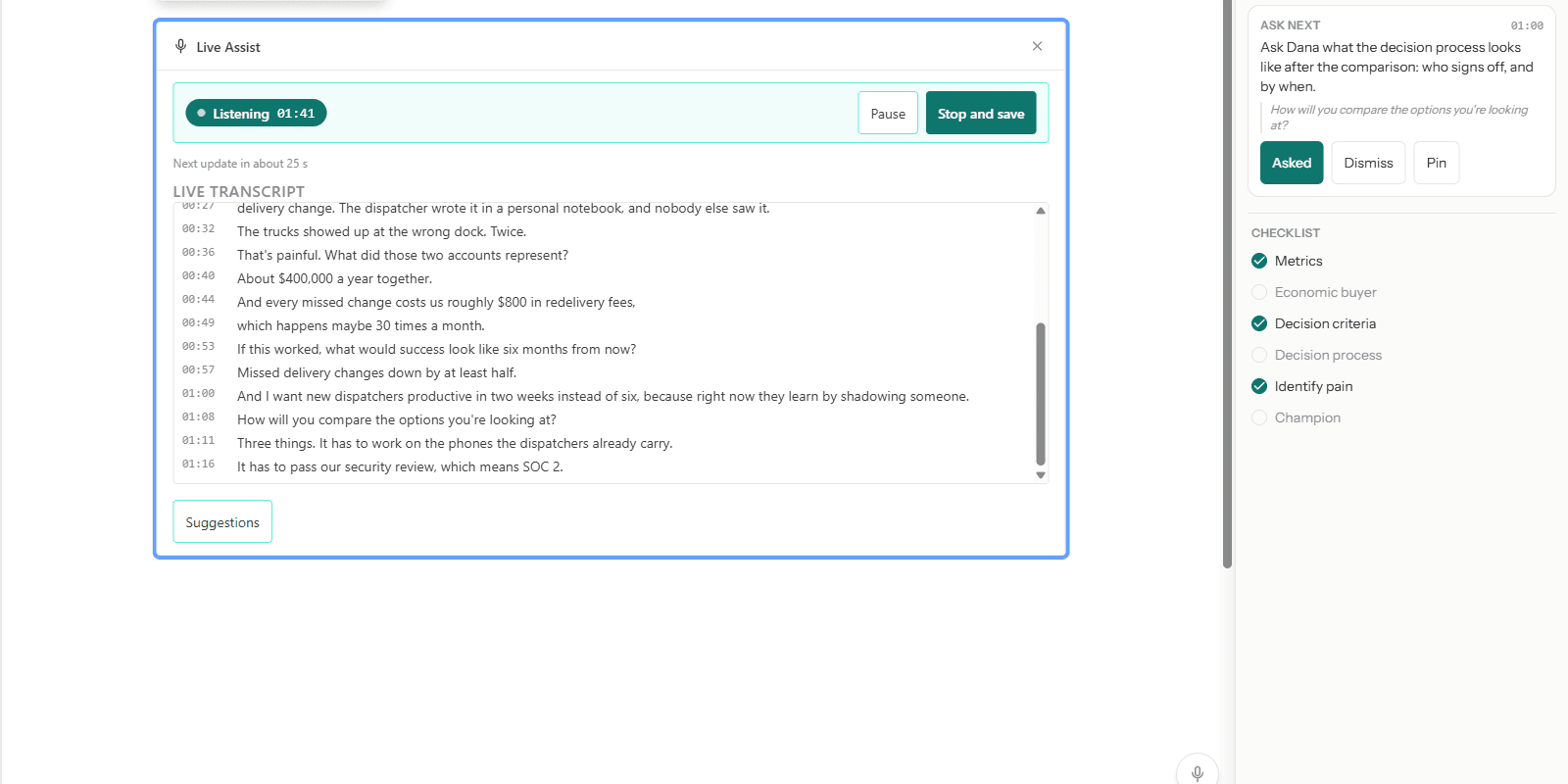
The transcript fills in as the call goes, about every twenty seconds, each line with its time. Live Assist waits for a pause before it cuts, so sentences arrive whole.
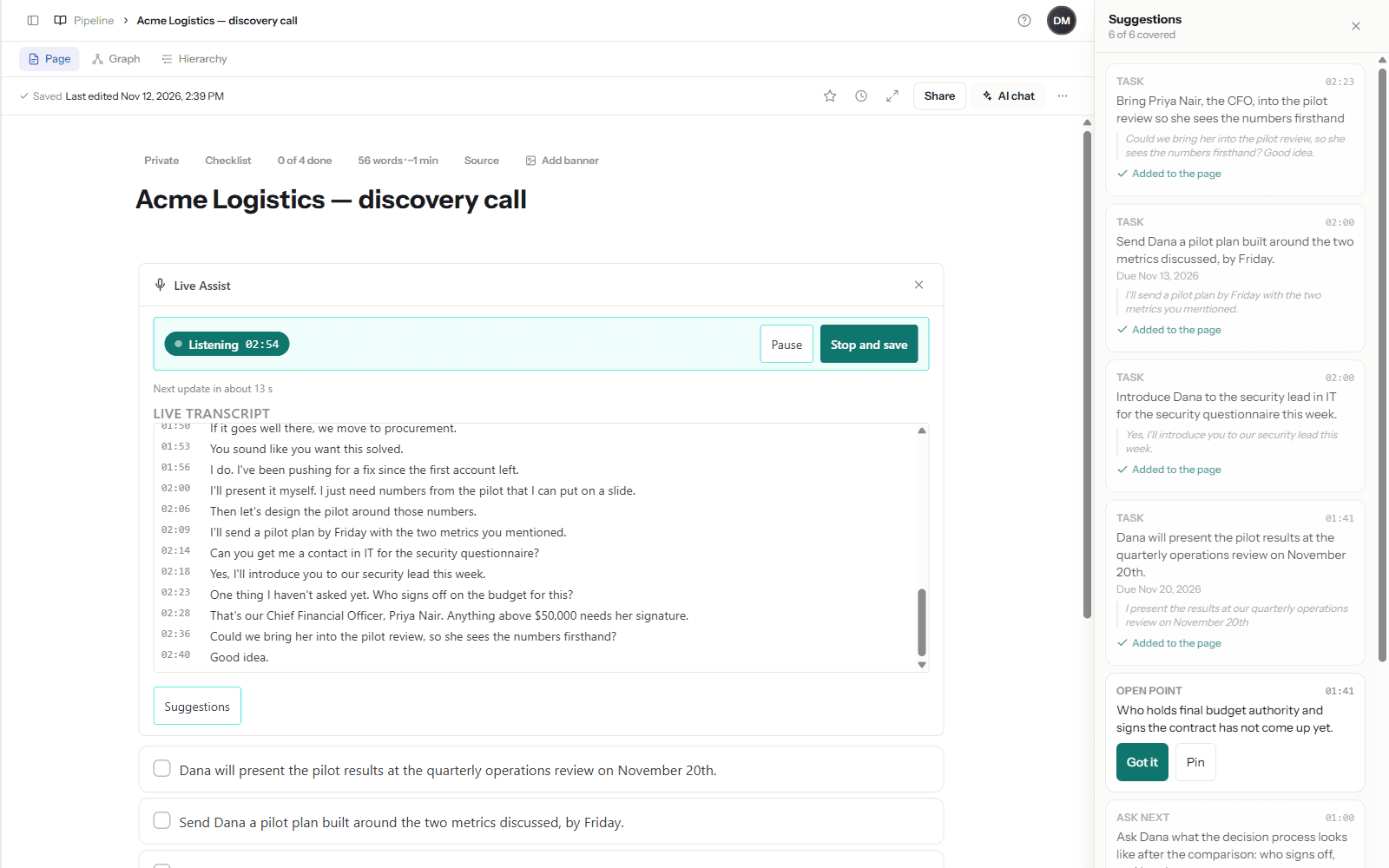
Beside the page, a Suggestions panel collects short cards. There are four kinds. Ask next is a question worth asking now. Task is something someone committed to, with the due date if they gave one. Tags are what the conversation is about, reusing the tags you already have. Open point is something a call like this normally covers that has not come up.
Every card except an open point shows the words it heard, copied from the transcript. A card that cannot quote the call is thrown away before you see it. And most updates bring no card at all: staying quiet is the default.
The MEDDIC checklist, live
In Sales call mode the panel also carries the six MEDDIC points: Metrics, Economic buyer, Decision criteria, Decision process, Identify pain, Champion. Each one is ticked when the call has given evidence for it.
In our demo call the buyer described the pain and the cost in the first forty seconds. Metrics and Identify pain were ticked, and a card appeared: ask who else needs to approve the spending, and who holds the budget. The seller did not get to that question until two minutes in. When she did, the buyer named the CFO and a fifty-thousand-dollar signing limit, and the checklist went to six of six.
That is the whole idea. The gap was visible while there was still time to close it.
Nothing reaches your page until you tap
Live Assist never writes to your notes by itself. Accept on a task adds one checkbox under the block, and if it has a due date it shows up in My Tasks. Accept on tags adds them to the page. "Asked" marks a question as handled. Pin keeps a card at the top until you get to it. Dismiss removes it.
In the demo, "I'll send a pilot plan by Friday" became a task due Friday with one tap.
After the call
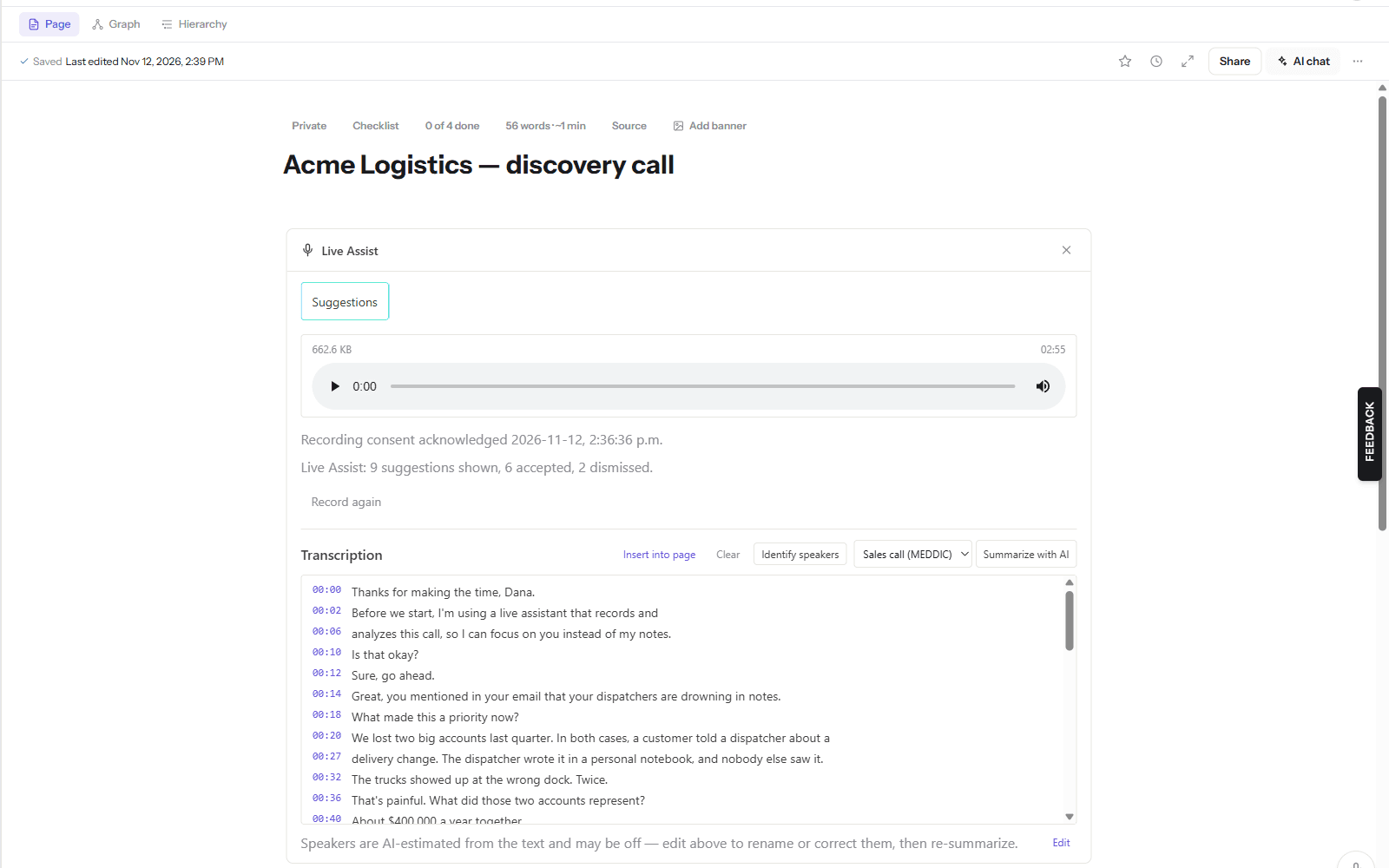
Press Stop and save. The page keeps the full recording, the timed transcript, and one line of what happened: how many suggestions were shown, accepted and dismissed. The Suggestions button stays, so you can reopen the cards and the checklist later and see what was covered.
From there it is the meeting notes you already know. The summary style is set to Sales call (MEDDIC) for you; press Summarize with AI and you get the six points with what was said for each, and the questions for the next call.
What it is not
It is not instant. A card arrives roughly twenty to thirty seconds after the words that caused it, because Live Assist listens in short stretches. It is a coach at your shoulder, not a teleprompter.
It can be wrong. It can mishear a name, suggest a question the buyer is about to answer, or miss something a person would catch. That is why every card quotes what it heard, and why nothing is added without your tap.
It does not identify speakers during the call. The live transcript is one stream of text.
And it does not replace telling people. Recording a conversation, and having it analysed while it happens, is something the other side needs to know about. In some places the law requires their consent. Say it at the start of the call; our demo seller does it in her first sentence.
Where the audio goes
While Live Assist listens, each short stretch of audio is sent to OpenAI to be transcribed, and the text is sent to Anthropic's Claude to produce the suggestions. The recording is saved to your page when you stop, like any meeting recording in note2it. The suggestions are stored on your page and nowhere else.
What it costs
Live Assist is an add-on to any plan: $9 a month for 120 minutes of listening. If you need more, each extra pack adds 60 minutes for $3 a month. Minutes are counted on what Live Assist actually listens to; a silent stretch is not sent and does not count. One session can run for up to two hours.
You will find it under Settings, in Plan & billing, as a module you can add or remove.
Try it on your next call
Start with a call where the stakes are low. Pick Sales call (MEDDIC), tell the other side, and watch the checklist. If one point is still empty at the half-hour mark, you know what to ask before you hang up.