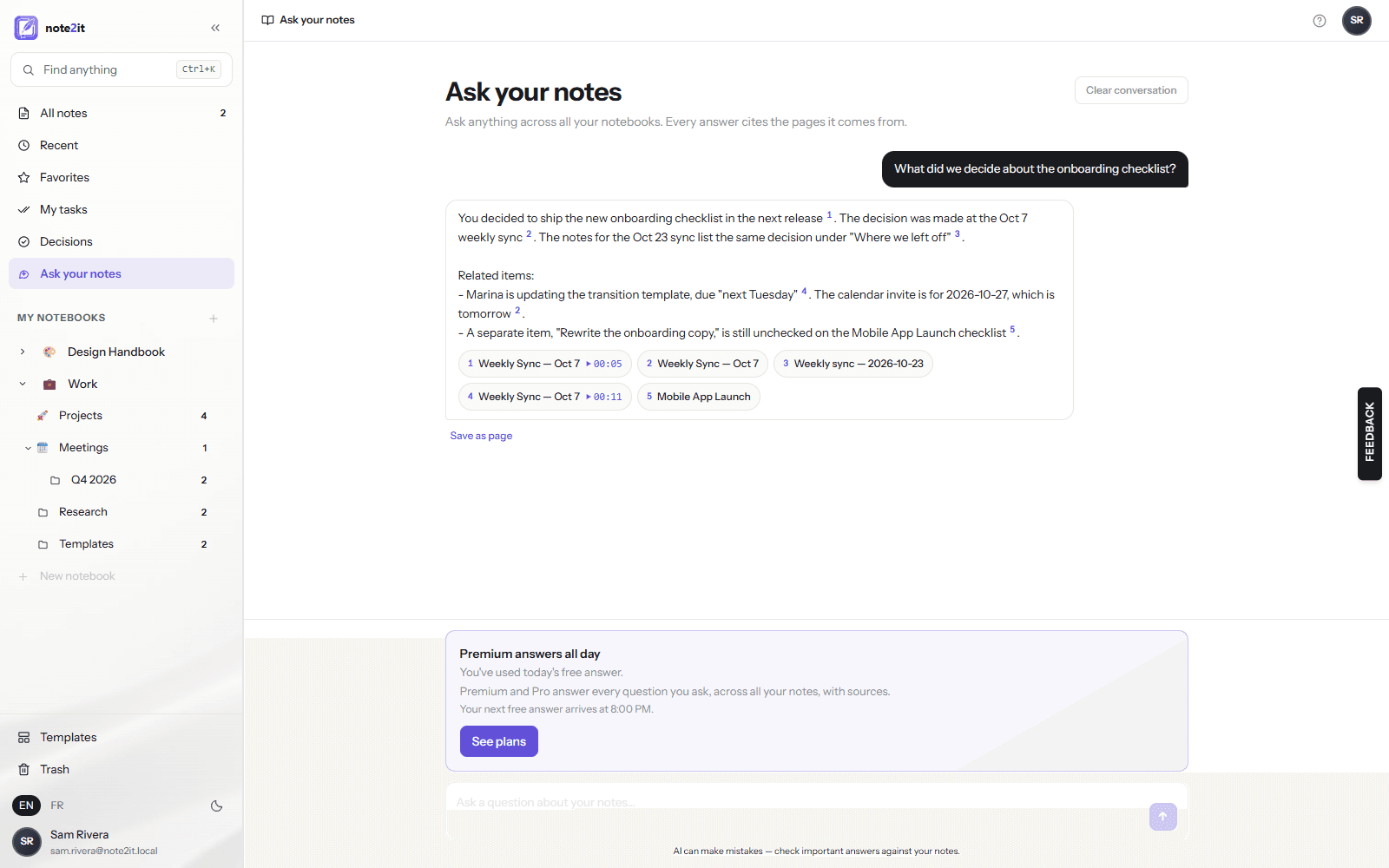
Ask your notes: the answer, with its sources, in the time it takes to type the question
A chat over every page you can read. Each claim cites the page it came from, and a cited meeting moment plays on click. Add a Monday review that writes itself and pages that resurface on their own, and the notes you already wrote start paying you back. One free answer a day on every plan; unlimited with Premium and Pro.
Writing notes is the easy part. Finding the one you need, three weeks later, is where the time goes. A client asks what you agreed about pricing in August. A colleague wants the reason you dropped a supplier. You know it is in there. So you search a word, open four pages, skim, search another word, and five minutes later you have it — or you have given up and asked someone to repeat it. Multiply that by the handful of times it happens every day and the notes you were so careful to write are costing you an hour a week to read.
The second cost is quieter. When nobody can find the decision, the meeting makes it again. The same debate, the same forty minutes, the same outcome, written down a second time somewhere else. Ask your notes is built for exactly those two moments: the question you need answered now, and the decision you should not have to make twice.
Ask, and get the answer with its sources
Ask your notes sits in the sidebar, under My tasks and Decisions. Type the question the way you would ask a colleague. note2it searches every page you can read — your notebooks and the ones shared with you — follows the wiki-links between them, reads the pages that matter, and answers in a few sentences. Every sentence that states a fact ends with a small numbered marker, and under the answer sits a chip for each source: the page title, and the moment it was said when the source is a recorded meeting.
That marker is not decoration. The answer can only cite pages that were actually read for this question; a reference the model did not read is dropped before you see it. When your notes do not contain the answer, it says so in one sentence rather than inventing one. And it answers in the language you are using, English or French, with the same citations.
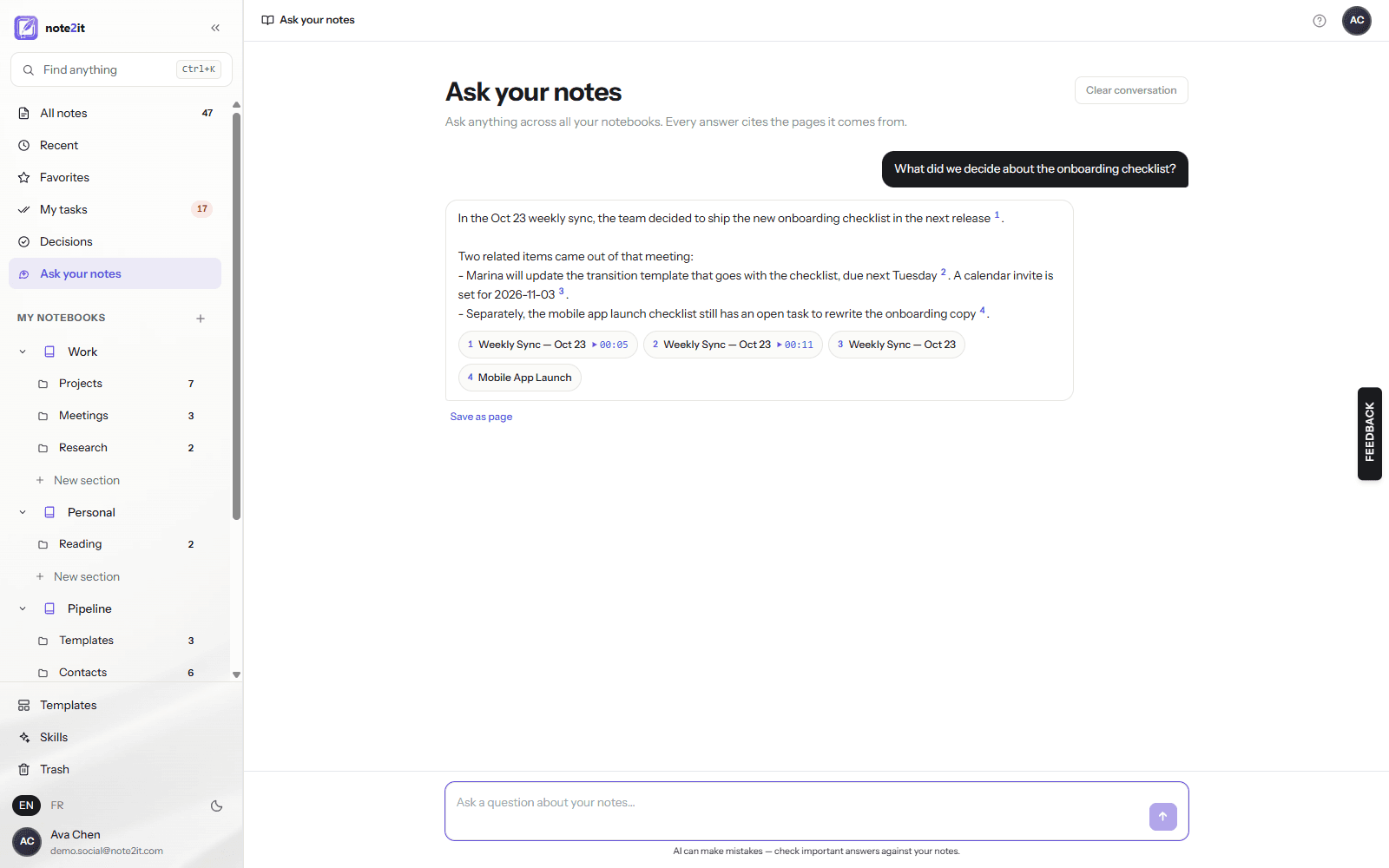
Click the source
A chip opens the page it names, at the place the answer came from. When the source is a meeting recorded with note2it, the chip carries the time, and clicking it opens the page with the recording playing from that second — the same verifiable link that the meeting summaries got in October. You never have to take the answer on faith: the proof is one click away, and it is your own words.
This is the difference between a search box and a colleague who read everything. Search gives you pages; Ask gives you the answer and the receipt.
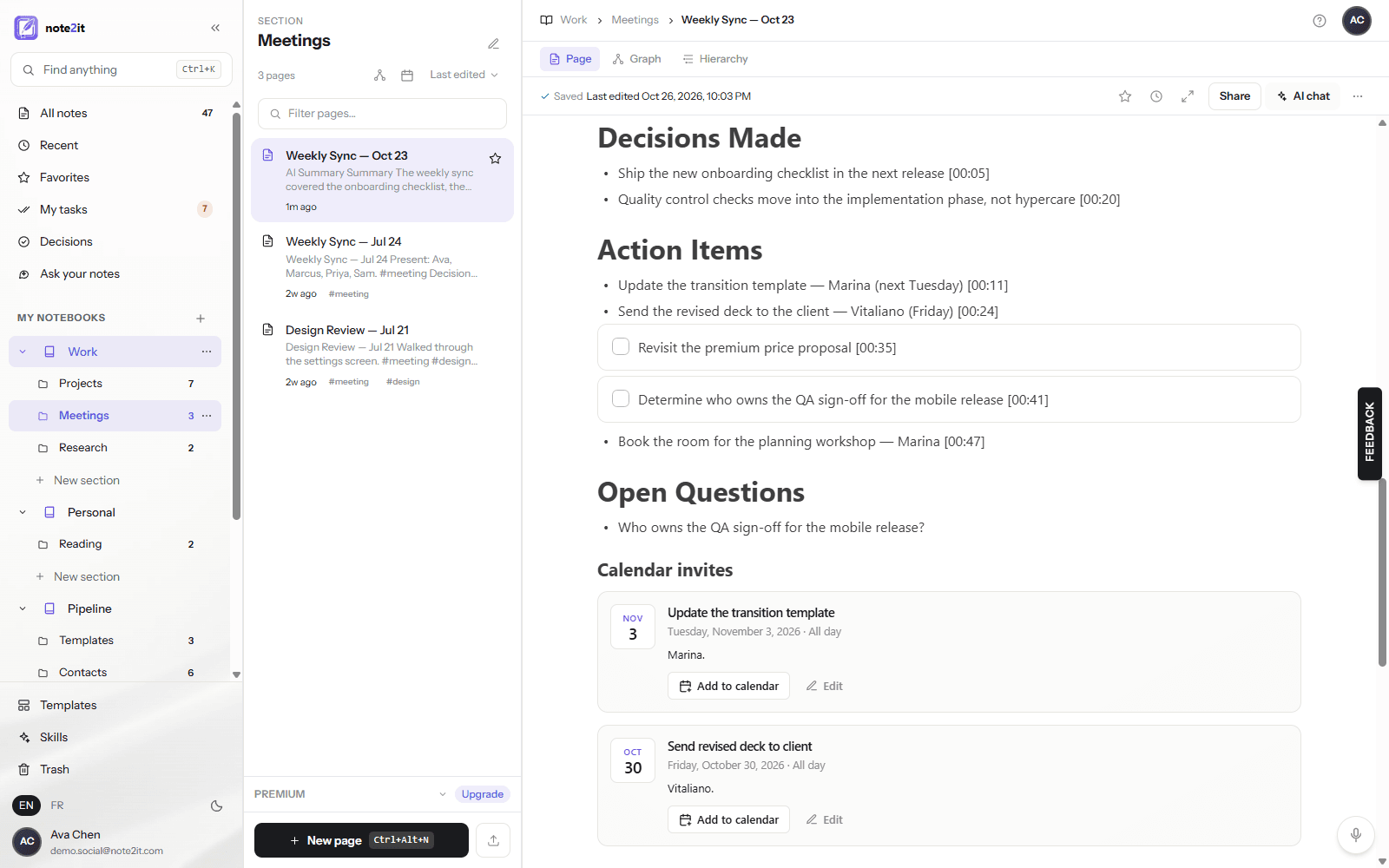
Keep the answer
An answer worth keeping becomes a page in one click. Save as page writes it into the notebook you choose, with every citation turned into a wiki-link, so the new page joins your graph and shows up as a backlink on each source it cites. The next time someone asks the same question, the answer is already a page — and Ask will find it.
Monday morning, your week arrives
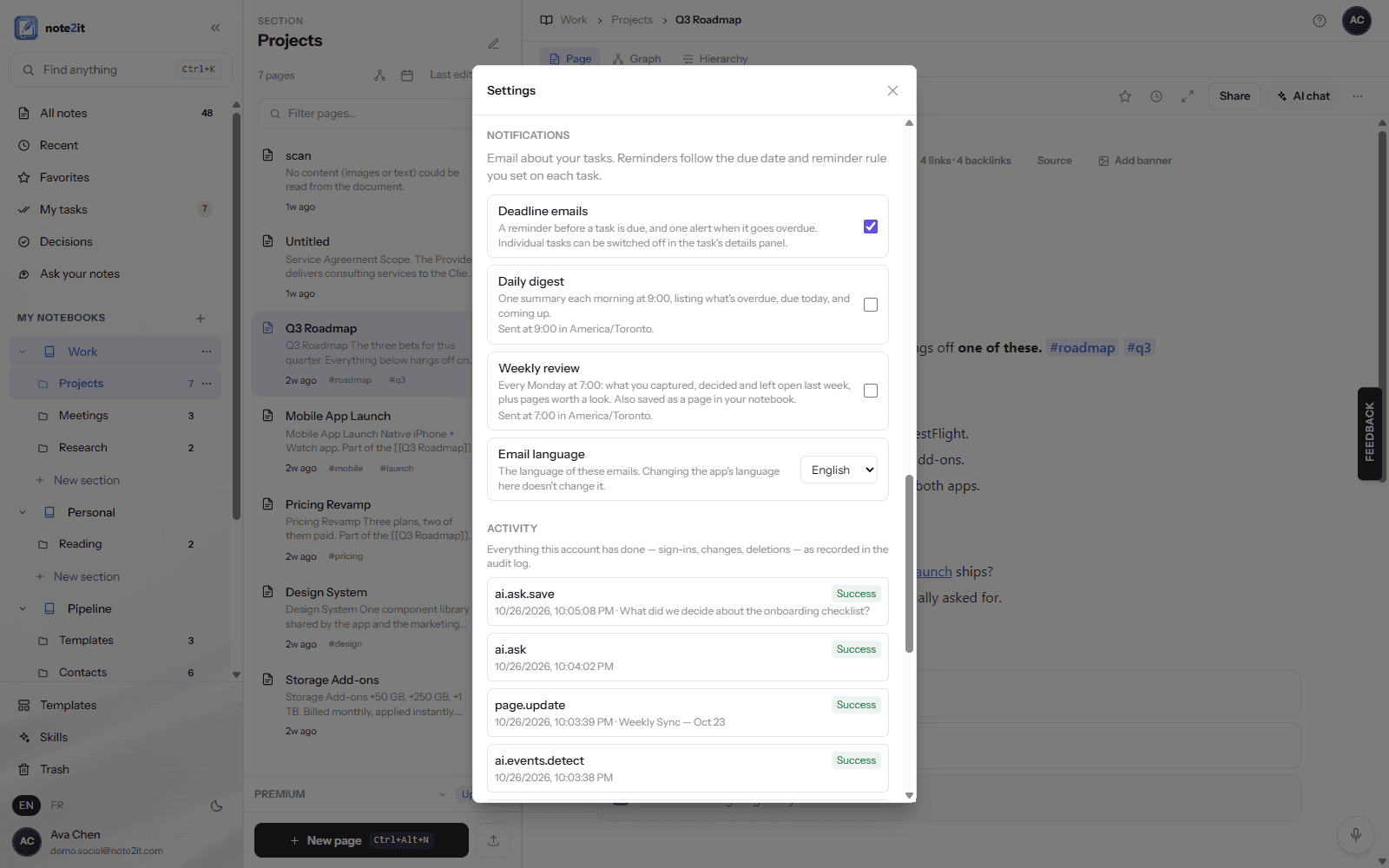
The review you mean to do every week and never do now writes itself. Switch on Weekly review in Settings › Notifications and, every Monday at seven in your own time zone, note2it sends one email: what you captured last week, what you decided, what is still open or overdue, and two or three pages you have not opened in a while that relate to what is on your plate. Every line links to its page. The same review is saved as a page in a Weekly reviews section of your notebook, tagged so you can find every past week in seconds.
It is written from your notes only — nothing invented, and a section with nothing on record says so. Your time zone is stored only while the review is on and deleted the moment you switch it off, and every email carries a one-click link to stop. The weekly review is part of the full AI suite, included with Premium and Pro.
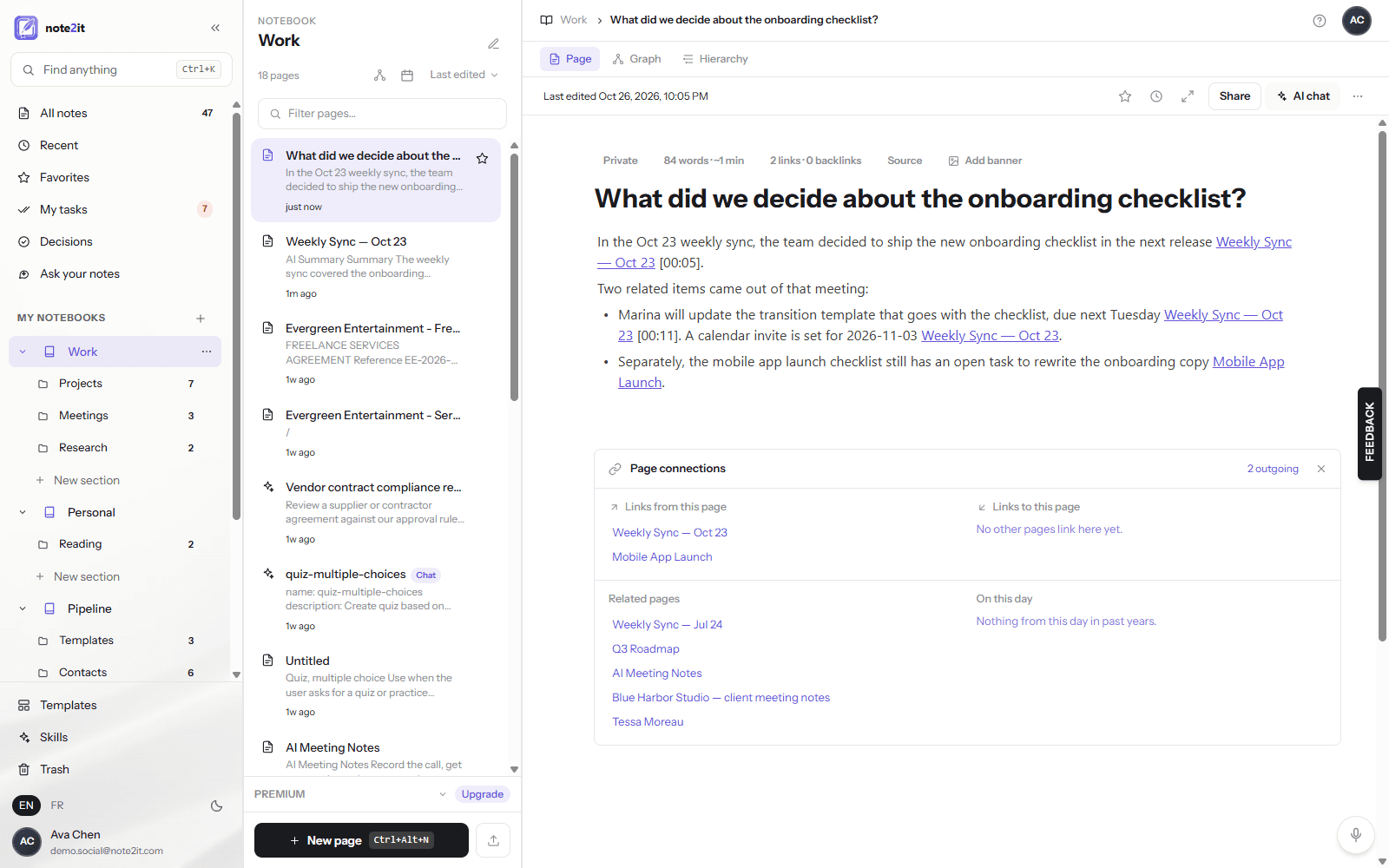
Pages that find each other
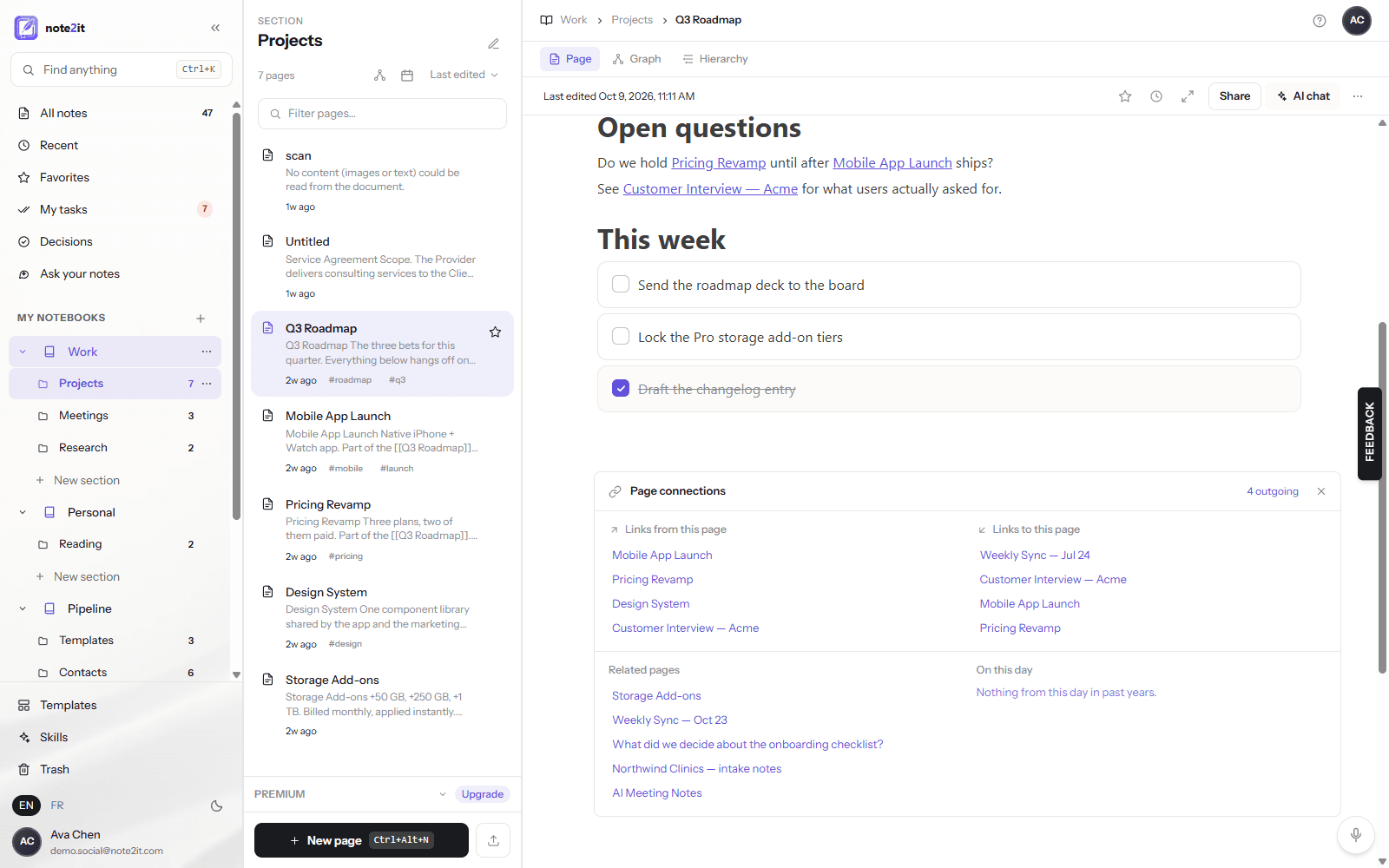
Open Page connections under any page and, next to the links you made yourself, you now get the ones you did not: Related pages, found by what the page is about rather than by a link you remembered to type, and On this day, the pages you created on this date in earlier years. No AI call, no waiting — it is search, done for you, every time you open the panel. Related pages and On this day come with Premium and Pro.
What it saves
Time first. If you look something up in your notes four times a day and each hunt takes three minutes, that is an hour a week spent reading what you already wrote. Ask answers in the time it takes to type the question, with the page open one click later. The weekly review takes the Monday half-hour you were not finding anyway and hands it to you as an email. Related pages remove the "wait, didn't I write about this?" moment entirely.
Then money. The meeting that re-makes a decision costs everyone in the room their hourly rate for the length of the debate; one avoided repeat pays for a year of Premium. And because Ask works over the notes you already have, there is no second tool to buy, no separate AI subscription to connect, and no bot to invite into your meetings. The notes, the tasks, the recordings and the answers live in one place, under one audit trail.
Then trust. Your pages travel to the AI provider as data, under the same contract as every other AI feature in note2it: not used for training. Your audit log records that a question was asked and how many pages were read, never the question or the answer. Nobody at note2it can read your notes, and that does not change here.
Try it today, on every plan
Ask your notes is in the sidebar for everyone. On the free plan you get one answer a day, citations included — enough to feel what it is like to have your notes answer back. Premium and Pro answer all day, add the weekly review, and turn on Related pages. Open the app, click Ask your notes, and ask the question you were about to go looking for.