
Your weekly meeting remembers: series, carry-over, a decisions log and a brief
Name a recurring meeting once and its pages know each other: the next meeting starts with what is still open and what was decided, every decision across the notebook sits in one view, and one button writes a brief of where you left off. Series, carry-over and the Decisions view on every plan; the brief with Premium and Pro.
Every recurring meeting starts from zero. Last week's open items, decisions and unanswered questions are in last week's notes; someone scrolls back to find them, and usually nobody does. The meeting re-discovers what it already knew, and the item nobody carried over quietly disappears.
This release gives a recurring meeting a memory. You name the series once. From then on the next meeting is created from the previous one, every decision across your meetings is listed in one place, and a brief of where you left off is one click away.
Name the series once
On any meeting page, open the page menu and choose Series…, then give the recurring meeting a name — Weekly sync, Client check-in, Board prep. Pages with the same name in the same notebook are one series, ordered by date; capitalization and accents do not matter. A bar appears above the page showing where this meeting sits in the series, with Previous and Next, New meeting and Brief me.
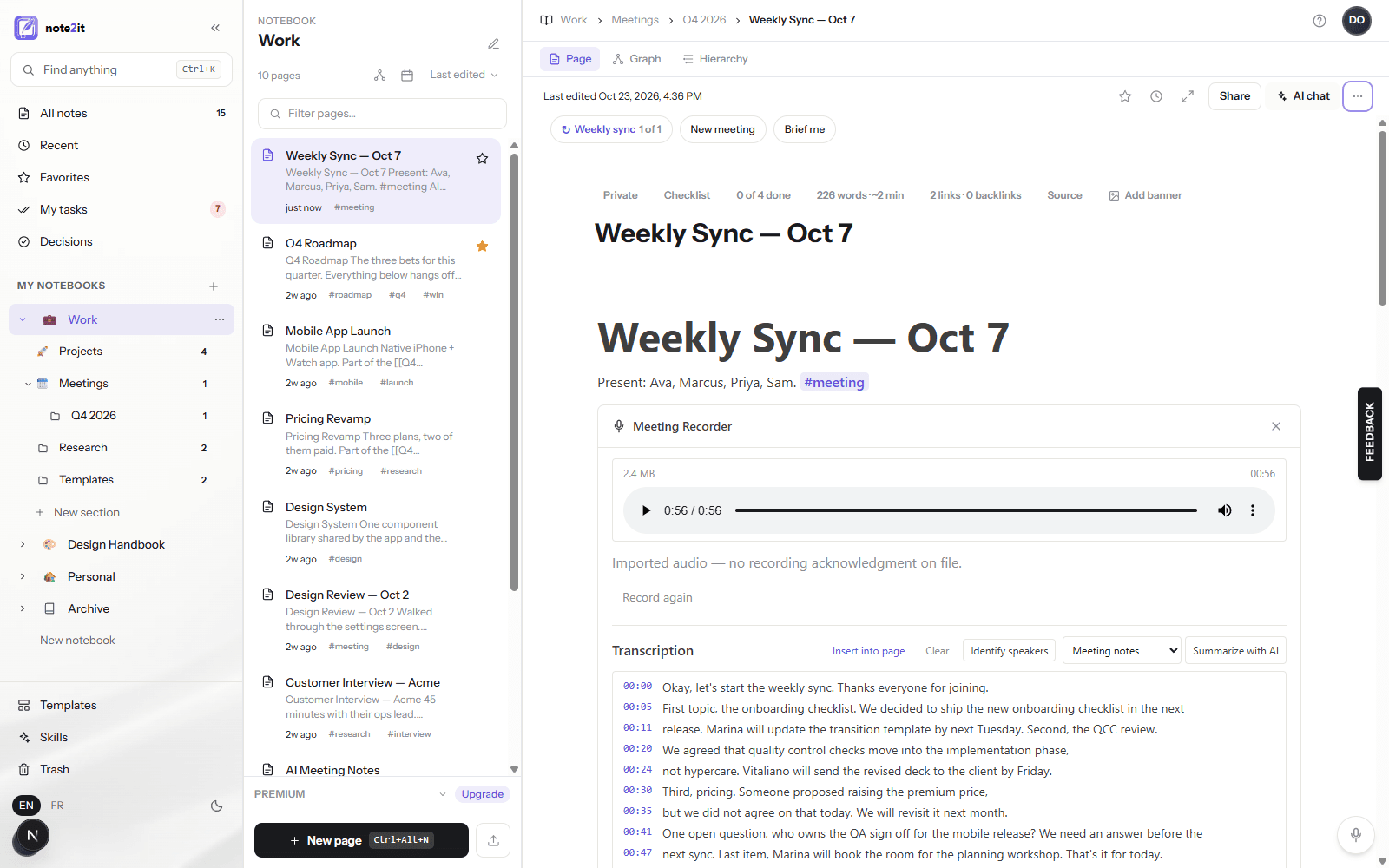
New meeting: what is still open comes along
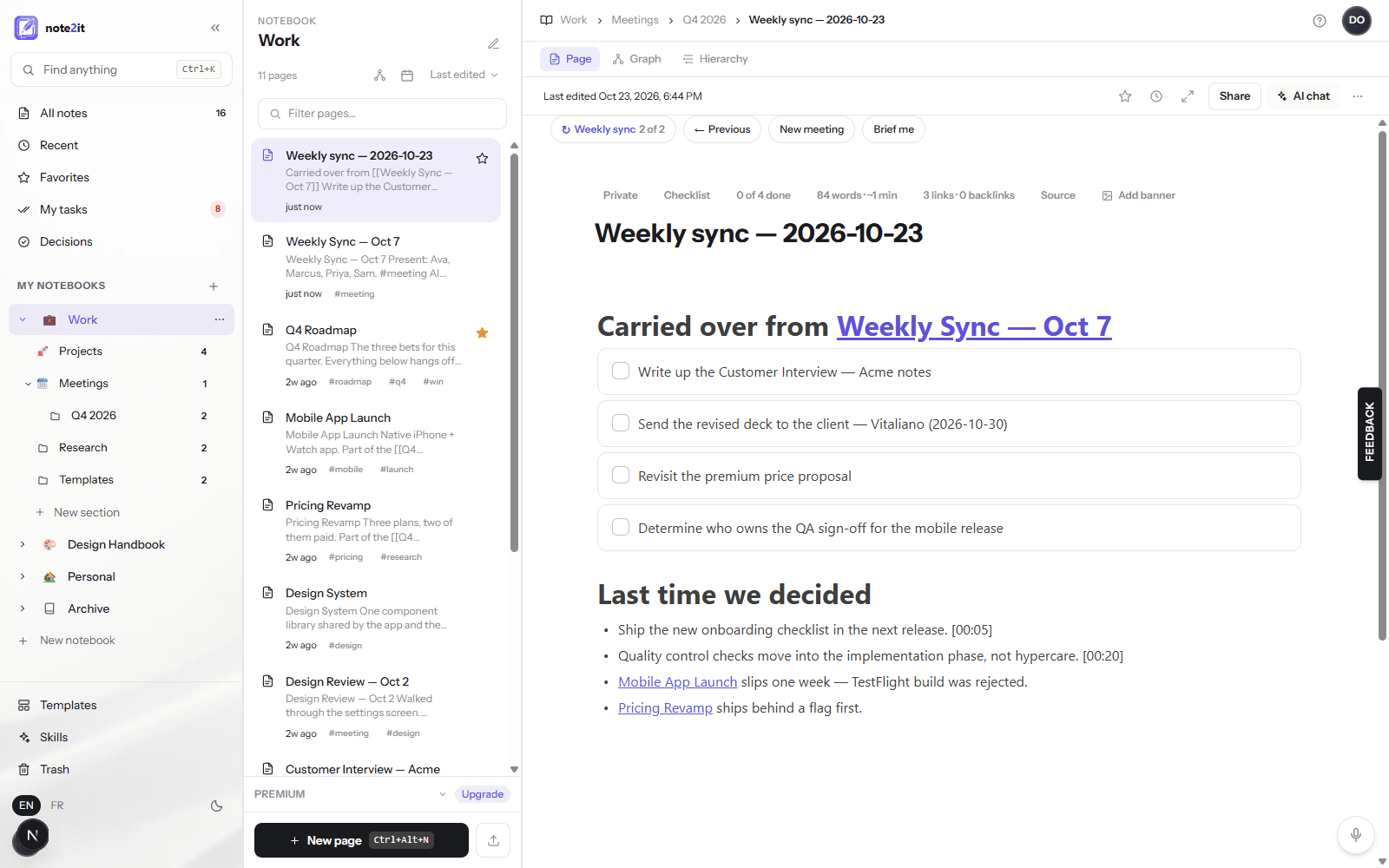
New meeting creates the next page of the series and fills it from the previous one. Open action items arrive as live checklist items — real tasks in My tasks, with the due dates they had. The previous meeting's decisions follow under Last time we decided, each still carrying the time it was said when the summary had one.
On the previous page, the carried items turn into plain bullets marked carried to, with a link to the new meeting. That is what keeps My tasks honest: an item exists once, on the page where it is now being worked, and the old page still reads as a faithful record of what was open then.
The whole thing runs through the same page and task operations you use by hand, so every step is in your audit trail, and if the previous page changed under you in the meantime the new meeting is still created and you are told the old items were not marked.
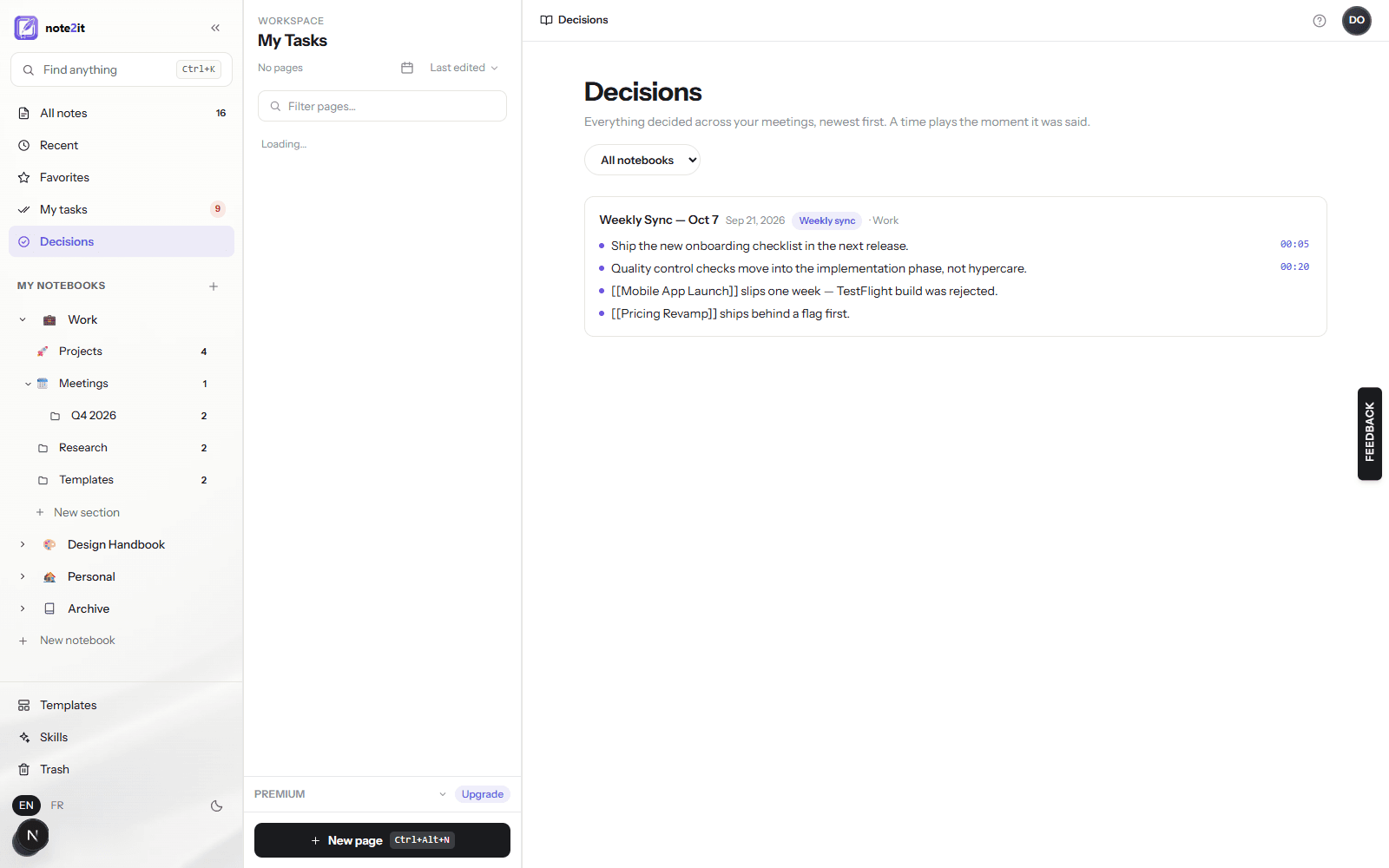
Every decision, in one place
Decisions, in the sidebar under My tasks, lists every list item written under a Decisions heading across your pages — AI summaries and hand-written notes alike, in English or French — grouped by meeting, newest first, with a notebook filter. A row opens its page. When the decision came from a recorded meeting, a time sits beside it; click it and the page opens with the recording playing from that moment.
Nothing is stored twice: the view reads your pages when you open it. If you write decisions under a heading of your own, say Key decisions, they count too.
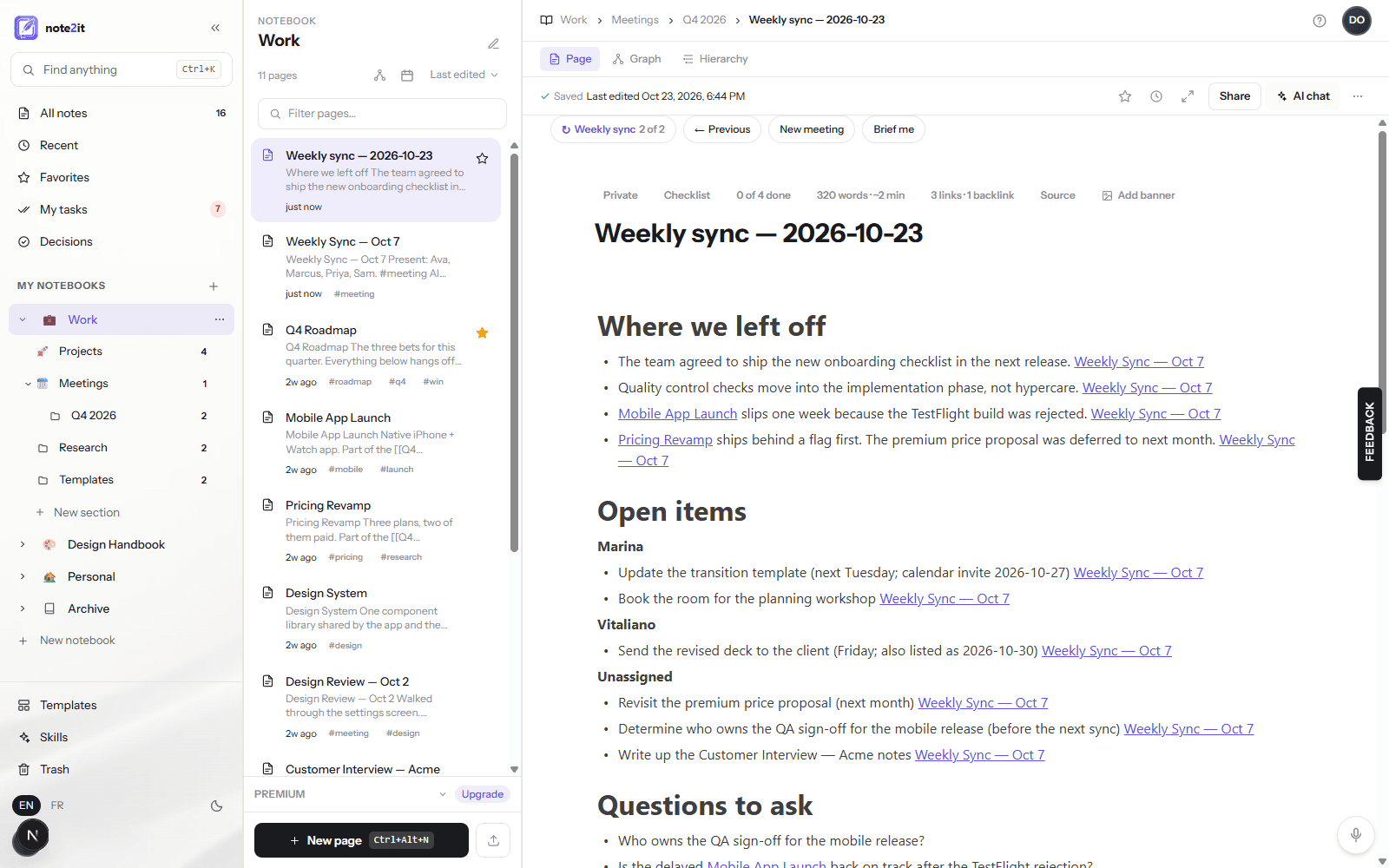
Brief me: where we left off, in one click
On a series page, Brief me reads the previous meetings — up to three — their decisions, open questions, open tasks and notes, and writes a brief at the top of the page in four sections: Where we left off, Open items grouped by owner, Questions to ask, and Decisions pending for what was proposed but never agreed. Every line names the meeting it came from as a link, and a section with nothing on record says so rather than inventing.
The brief is a full-AI feature, included with Premium and Pro like the page chat. Your notes travel to the AI provider as data, under the same contract as every other AI feature; your audit log records that a brief was written and how many meetings it read, never its text.
Start with the meeting you have every week
Series, carry-over and the Decisions view are on every plan, on the web app. Open the page of the meeting you had this week, give it a series name, and next week press New meeting instead of a blank page. If a decision deserves to be remembered, write it under a Decisions heading — the view will find it.