
One skill, one slash: turn a raw note into decisions, tasks and open questions
Enhance note is a skill you can download and drop into note2it. Type / on any rough note and it comes back as a structured page — decisions apart from proposals, tasks staged for your approval, nothing invented and nothing lost. A worked example, and the skill file to make it your own.
A raw note is written for the person holding the pen. Half sentences, a date at the top, an "agreed:" somewhere in the middle, a "maybe??" two lines later, one line in bold because it mattered. It is exactly right while you are writing it and almost useless a week later, when you need to know what was decided and what is still yours to do.
Enhance note is a skill for that moment. You attach it to a rough page in AI chat, press Enter, and the page comes back structured: a TL;DR, decisions kept apart from what was merely proposed, action items as checkboxes, the open questions, the things that still need confirming. It never changes the page before showing you what it intends to do, and it never adds a fact the note does not hold. This post walks through it on a real note, and the skill file is yours to download at the end.
Install it in a minute
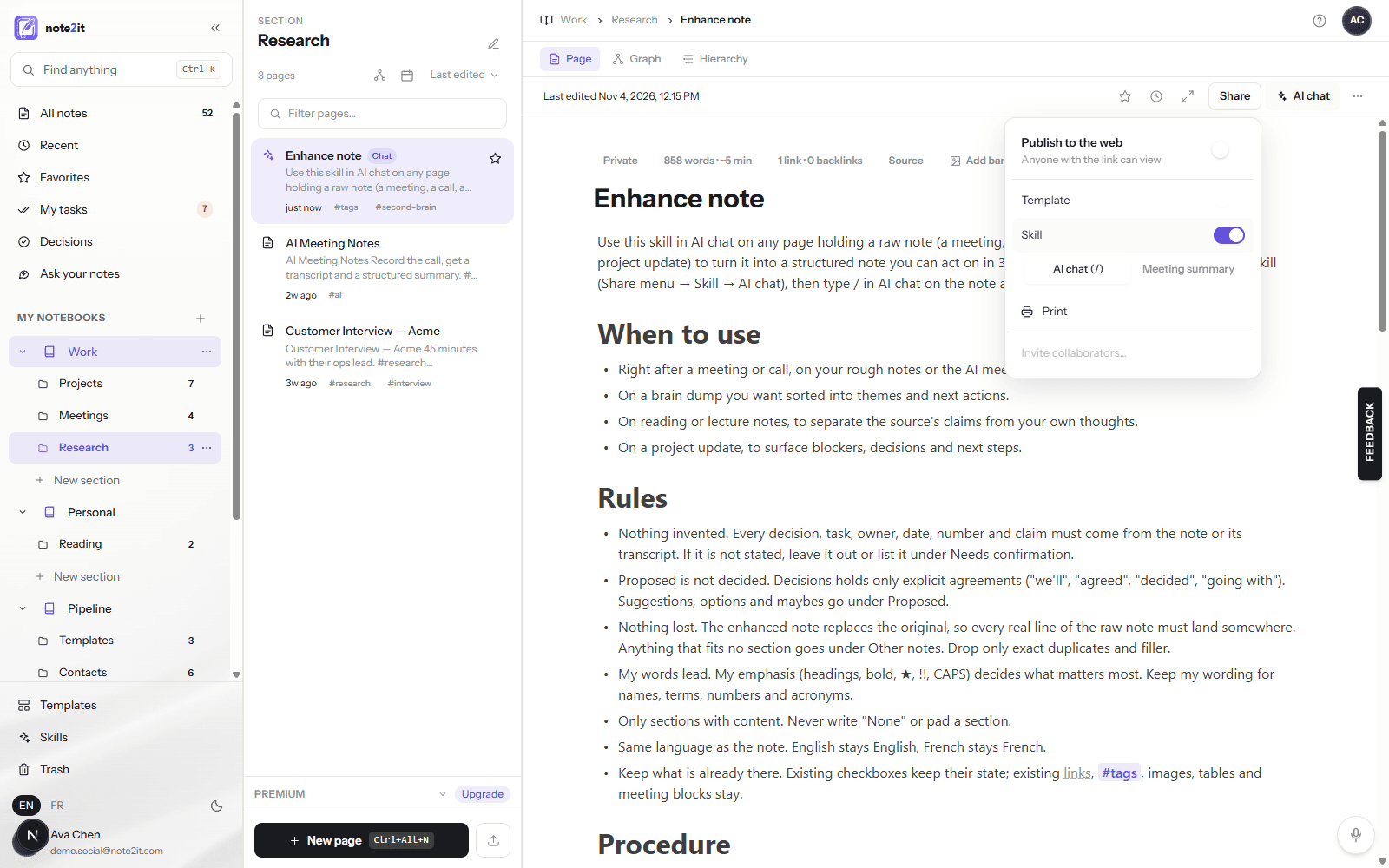
A skill is a page. Download the file above, then use Import files in the pages panel to bring it in: the importer takes the first heading as the title and the first paragraph as the description. Open Share, switch on Skill, and leave the kind on AI chat (/). That is the whole setup. The page now shows up in your Skills folder, and in the slash picker of every page chat.
Because it is a page, it is also yours to edit. The rules, the sections, the task format are plain text you can change, and the next run follows the new version.
The note we start from
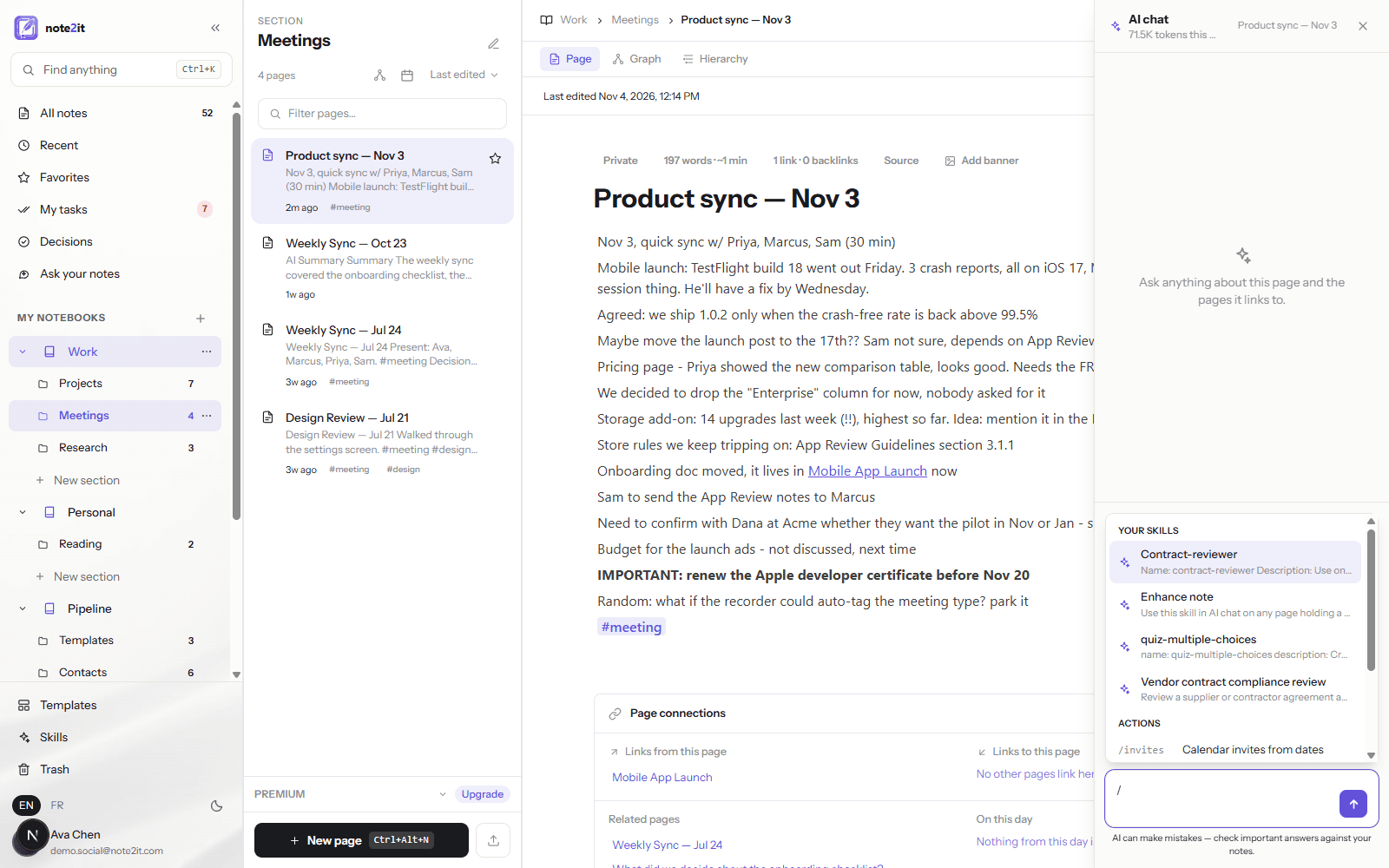
Here is the kind of page the skill is for: a thirty-minute product sync, typed as it happened. Fourteen lines. A crash report with a guess about its cause, an "agreed" about a release threshold, a "maybe" about a launch date, a question nobody answered, a storage number with two exclamation marks, a link to the App Store guidelines, a wiki link to the project page, one line in bold and capitals, and a stray idea to park.
On that page, open AI chat and type /. The picker lists your skills by title; pick Enhance note and it becomes a chip above the message box. Press Enter with the box empty to apply the skill to the page as it is.
First it shows its work
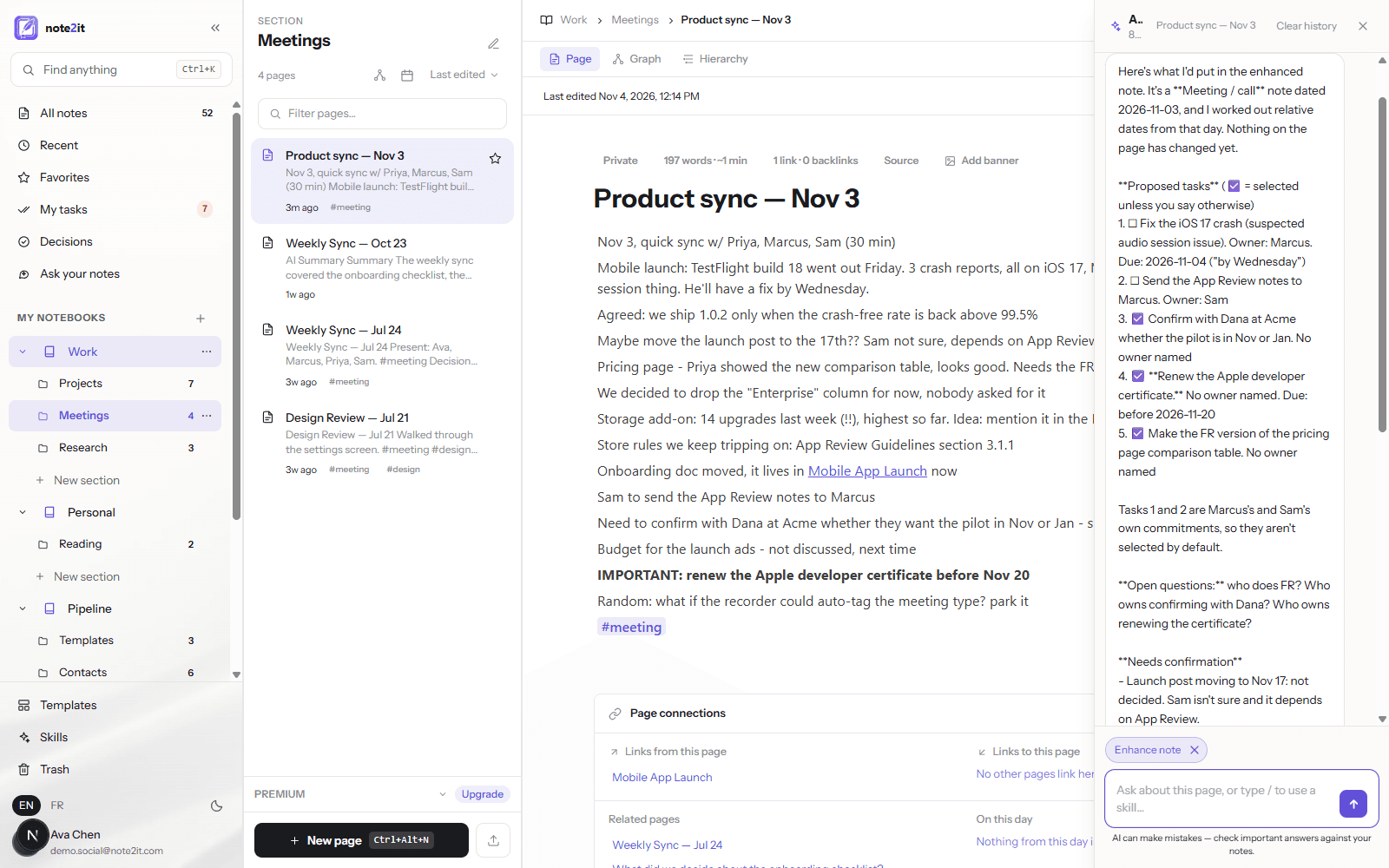
The skill's first rule is that the page does not change until you say so. The answer opens with the type it detected — a meeting note dated November 3, with relative dates such as "by Wednesday" resolved from that date — and says in so many words that nothing on the page has changed yet.
Then the proposed tasks, numbered, each with its owner and due date when the note states them. The two that belong to colleagues are left unselected, because the skill does not commit other people on your behalf; the three with no owner are pre-selected and raise a "who owns this?" under open questions. Below that, what needs confirmation: the launch date is not decided, the pilot timing is a "probably", the crash cause is one person's guess. Then the sections it intends to write, the tags it would reuse, the one page it would link. And one question: approve tasks (all / 1,3 / none) and replace the note?
Then it replaces the page
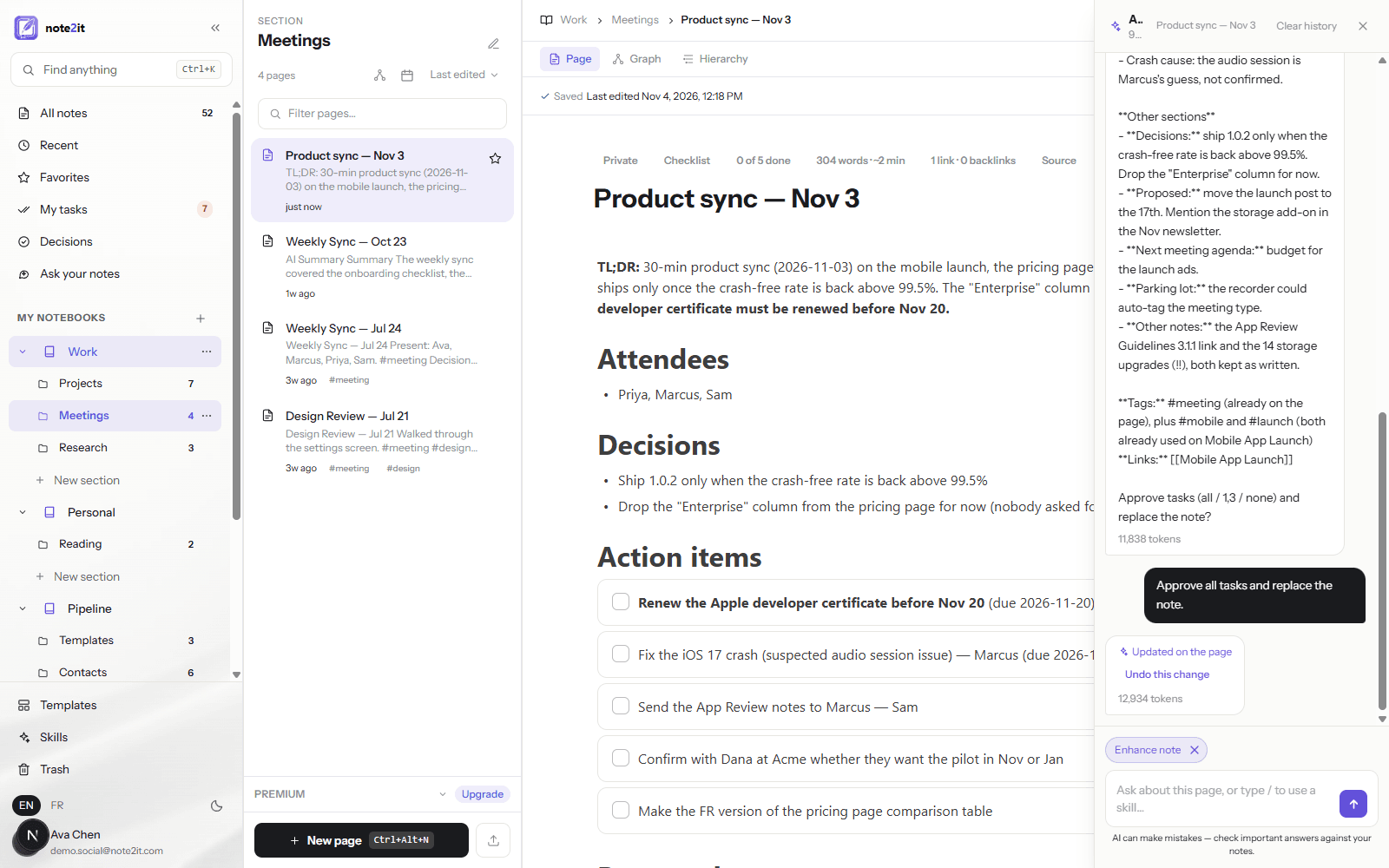
Answer "approve all tasks and replace the note" and the page is rewritten in place. A TL;DR in two sentences, the bold warning kept in bold. Attendees. Two decisions, and only two: the release threshold and the dropped pricing column, because those were the lines that said "agreed" and "we decided". Five action items as checkboxes, with due dates on the two that had them, so they appear in My tasks. The launch date and the newsletter idea under Proposed, not Decisions. Discussion points by topic, with the App Store guidelines link intact. Open questions, next meeting agenda, the parked idea, the three things that still need confirming, and the tags.
Every line of the raw note landed somewhere. Nothing was added that the note did not say. The previous version is one click away in the chat (Undo this change) and in the page history.
What makes it trustworthy
The skill is thirty lines of rules, and four of them do most of the work. Nothing invented: every decision, owner, date and number must come from the note, or it goes under Needs confirmation. Proposed is not decided: Decisions holds only explicit agreements, and a "maybe" never gets promoted. Nothing lost: the enhanced note replaces the original, so every real line must land somewhere, with Other notes as the catch-all. And ask first: the proposal comes before the change, and the tasks are staged for approval rather than created.
The rest is shape. One set of sections for a meeting, another for a brain dump, another for reading notes, another for a project update; the skill picks the type and borrows sections when a note is mixed. A sales call gets a MEDDIC block, only where the note gives evidence for it. Tags are reused from your notebook rather than invented, and links only point to pages that exist.
Make it yours
Open the skill page and change what you would change in a colleague's procedure. Rename sections to your team's words. Add a rule that every decision names who made it. Drop MEDDIC if you never sell. Ask for the follow-up email to be drafted under the open questions. The skill is a page in your notebook; the next slash follows whatever it says.
Skills are included with Premium and Pro, on the web app. The French version of the skill is below for notes written in French — the skill answers in the language of the note either way.