
Skills: teach the AI your own procedure, then run it with a slash
A skill is a page the AI follows as your standing instructions — a review checklist, a quiz format, a summary structure. Write it once, flag it, and attach it to any page chat by typing /. Skills also work as summary styles for recorded meetings. Included with Premium and Pro.
Most of what we ask an AI assistant, we ask again next week. Check this contract the way we always check contracts. Turn these meeting notes into the follow-up we always send. Quiz me on this chapter, four options each, and don't give the answer away. Each time, the request gets typed out from memory, a little differently, and the result drifts with it.
A skill fixes that. It is a page in your notebook that the AI follows as your own instructions: a procedure, a checklist, an output format, in your words. You write it once, flag it as a skill, and from then on it is one slash away in any page chat. Change the page, and the next run follows the new rules.
A skill is just a page
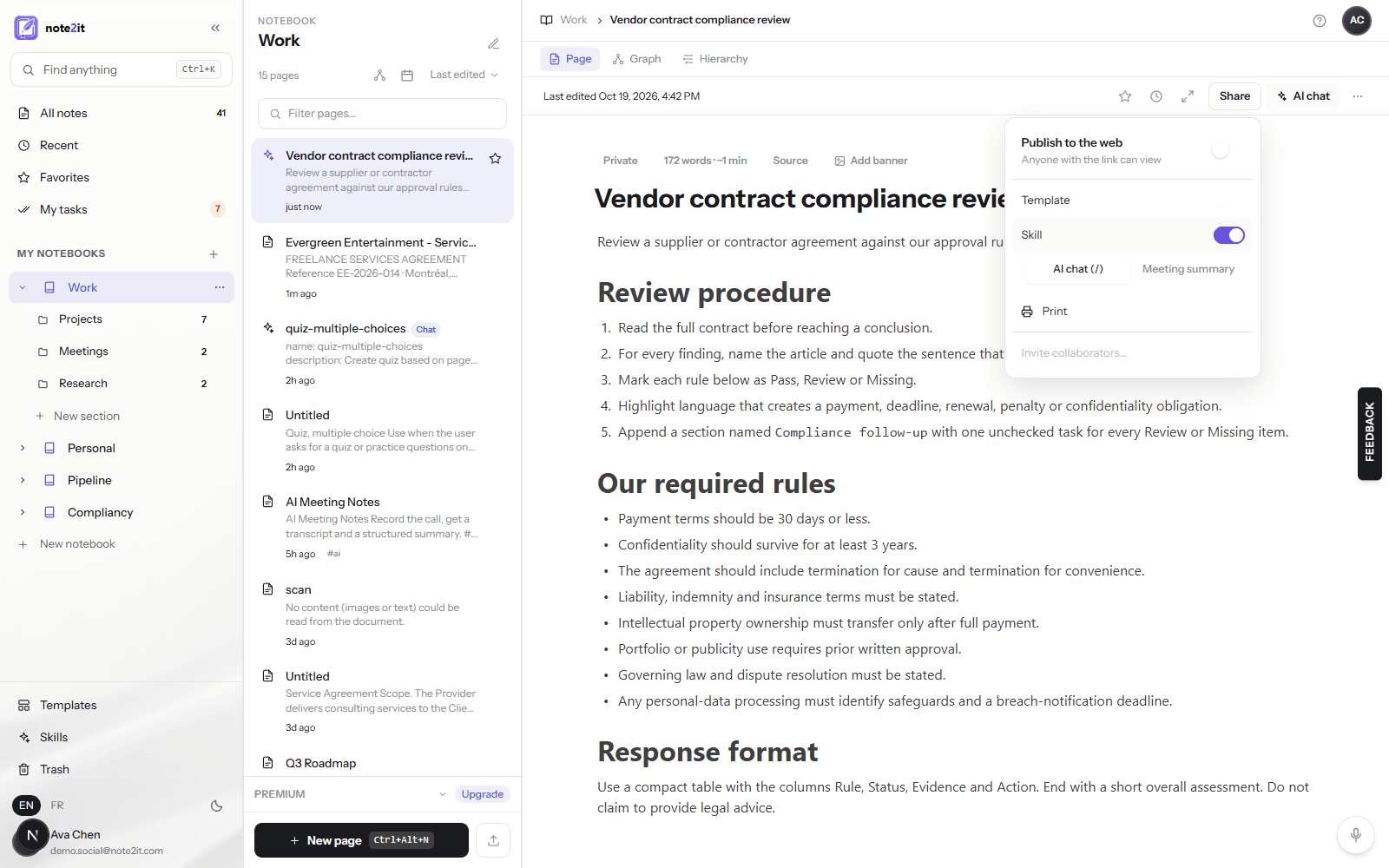
There is nothing to configure. Open a new page, give it a title that says what it does — that title is what you will type after the slash — and write the procedure the way you would brief a careful colleague: when to use it, the steps to follow, what to flag, what the result should look like. Headings and bullets help the AI the same way they help a person.
If you already have a procedure as a Markdown file, import it: the importer reads a name and description at the top of the file and uses them as the page title and first paragraph. Then open Share and switch on Skill. Two kinds appear: AI chat (/), for procedures you run in a page conversation, and Meeting summary, for a structure the Meeting Recorder should summarize with. A page is one kind at a time.
Attach it with a slash
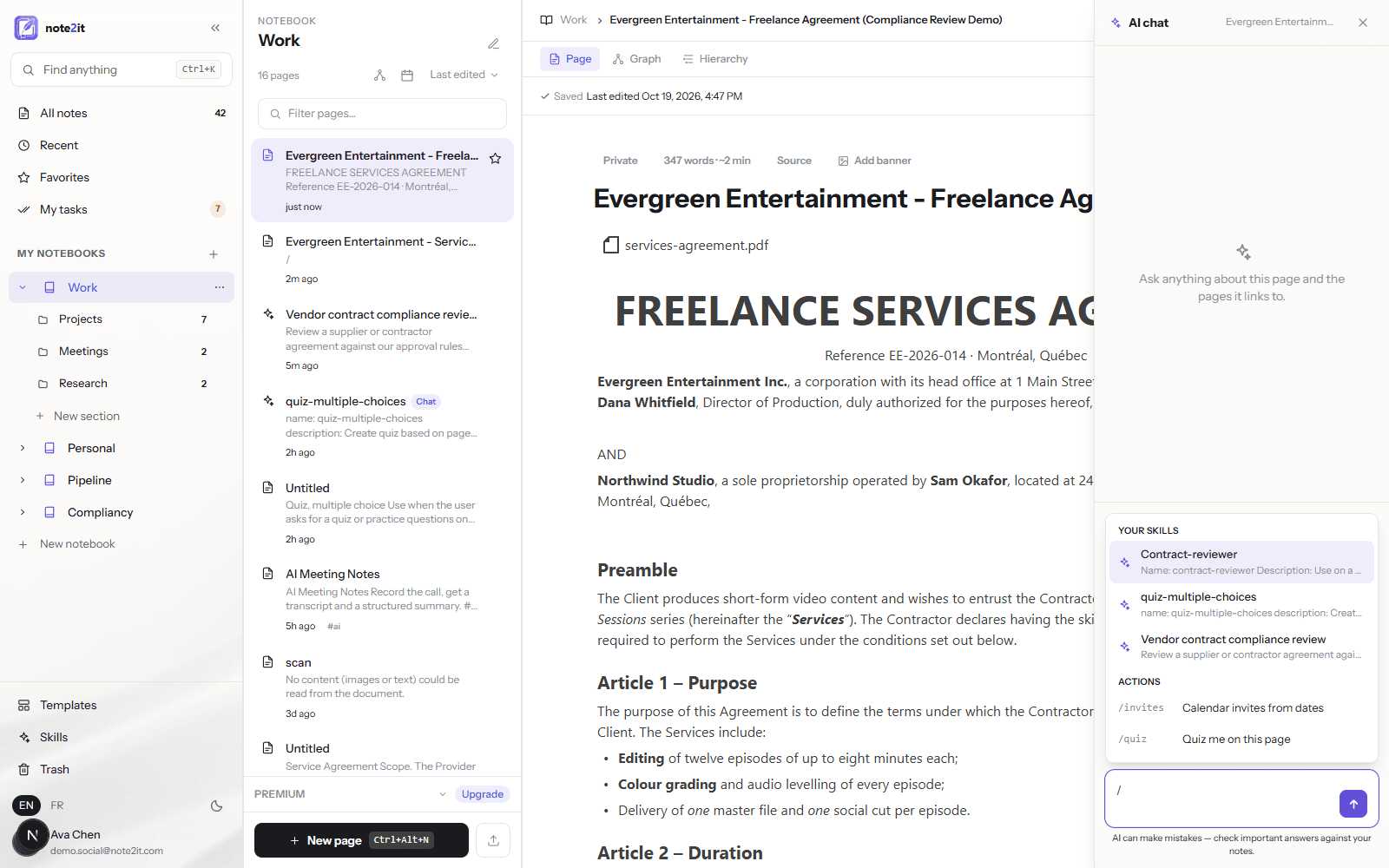
On the page you want to work on, open AI chat and type /. A picker appears with two groups: Your skills, matched by title as you type, and Actions — built-in shortcuts such as /quiz, /summary, /tasks, /invites and /translate that fill the message box with a ready question for features you already have. Pick a skill and it becomes a chip above the message box.
The chip stays with the conversation. Ask your question, or press Enter with an empty box to simply apply the skill to the page; follow-up questions keep following the same rules until you remove the chip or clear the history. Up to three skills can be attached at once — a review procedure and a house style, say.
A worked example: reviewing a contract against your own rules
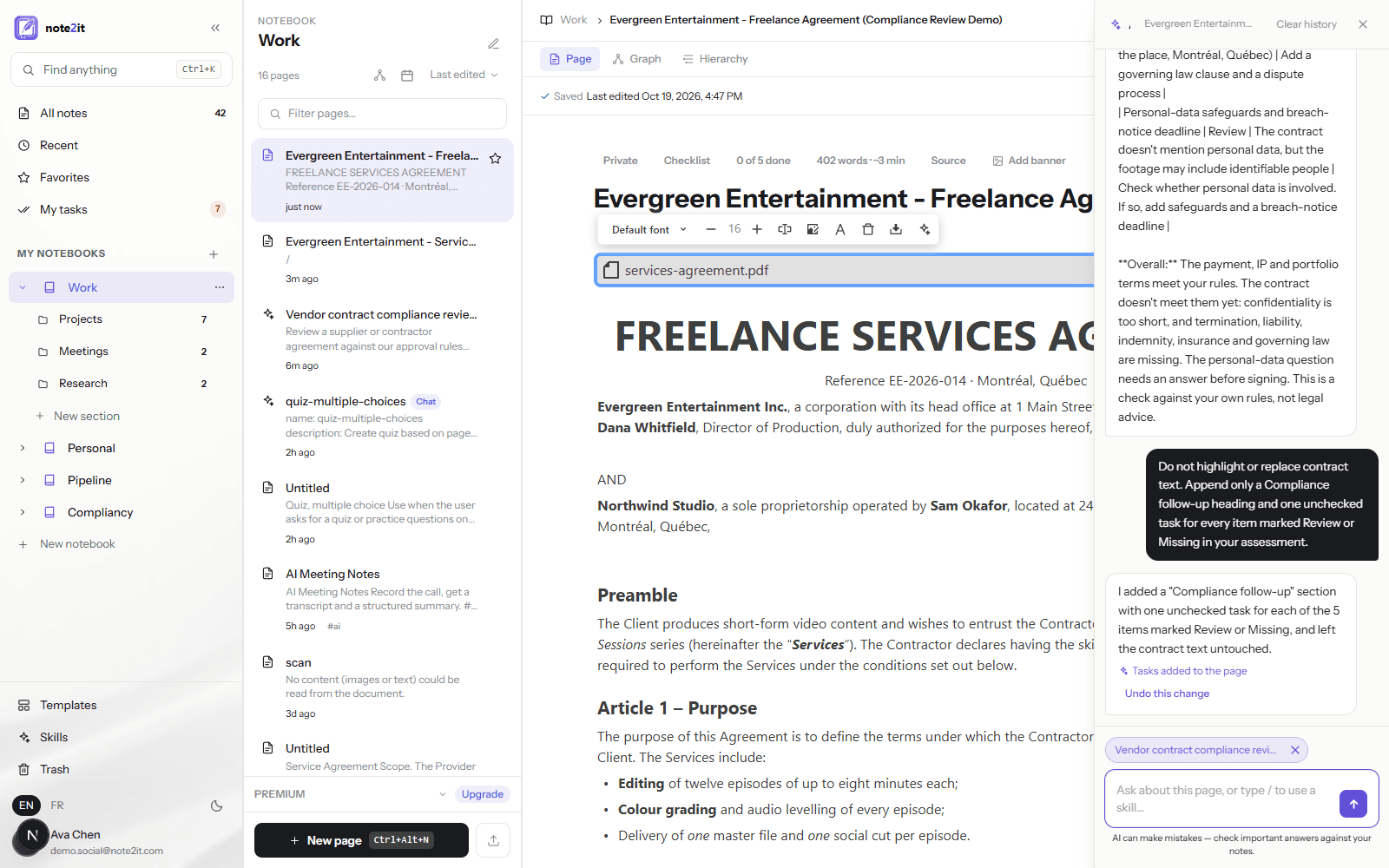
Here is the workflow from our Skills classroom training. A fictional freelance services agreement is imported as a page from its PDF. A second page, Vendor contract compliance review, is imported from a Markdown file: it asks the AI to read the whole contract, to name the article and quote the sentence behind every finding, to mark each rule as Pass, Review or Missing, and it lists the rules — payment within 30 days, confidentiality lasting at least three years, termination, liability, governing law, personal-data safeguards. Those rules are the part you edit to match your own approval policy.
Back on the contract, / and the skill, then Apply. The answer comes back as a table: payment terms, intellectual property and portfolio approval pass; the two-year confidentiality clause needs review because the rule asks for three; termination, liability, insurance and governing law are missing, each with the article that decides it. A second request — append a Compliance follow-up checklist, one task per Review or Missing item, and leave the contract text untouched — turns the findings into five tasks that show up in My tasks.
The result is a structured first pass against your rules, with the evidence quoted so you can check it. It is not legal advice, and the training says so too: verify what matters against the source and bring in qualified reviewers where it counts.
Skills as summary styles for recorded meetings
The Meeting Recorder has always offered two summary structures: general meeting notes, and a MEDDIC qualification for sales calls. A skill of the Meeting summary kind adds your own. Flag a page that describes the sections you want — for a customer interview, say: who we spoke to, goals, pains, current workaround, quotes worth keeping, follow-ups as checkboxes — and it appears under Your skills in the recorder's style list. The transcript is summarized in that shape, in its own language, with follow-ups that land in My tasks.
The Skills folder
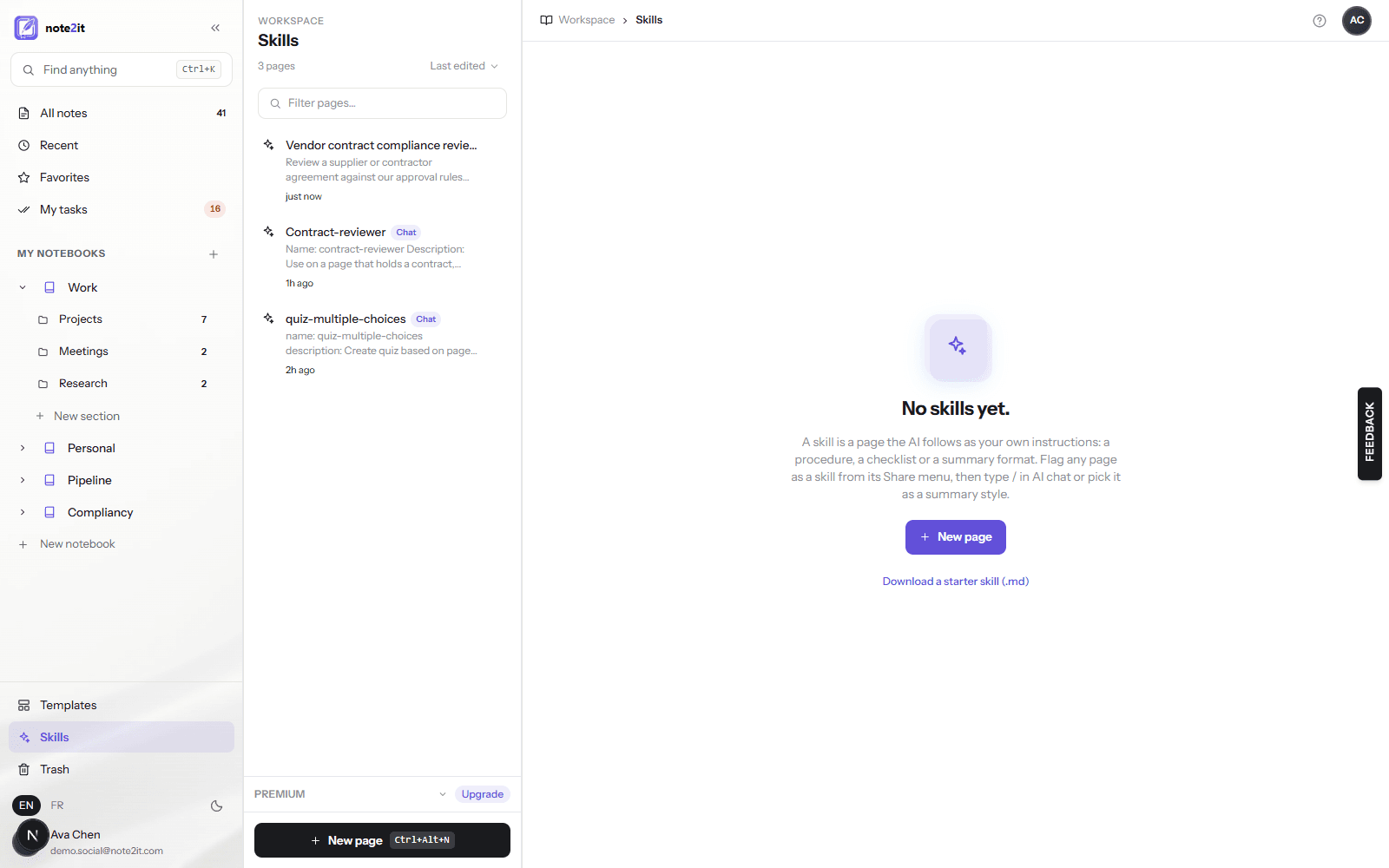
Every page flagged as a skill is listed in Skills, in the sidebar under Templates, with its first line and a Chat or Summary badge. It is where a team keeps its repeatable procedures — contract review, interview analysis, meeting follow-up — and where you go to revise one. Flag a page as a skill from its Share menu or its page menu; un-flag it the same way and it goes back to being an ordinary page.
What a skill can and cannot do
A skill shapes how the assistant works and what its answer looks like. It can set the form of the result — a table, a memo, a draft email, a checklist — as long as the content comes from your notes. It cannot widen what the assistant will do: it stays grounded in the page and its linked pages, it will not take on another persona, and it never treats the contents of the page under review as instructions. If a skill asks for something outside those rules, the assistant does the rest and says what it skipped.
Only your own pages can be skills. A page shared with you by someone else cannot steer your assistant, and a skill you un-flag or move to the trash is refused on the next run rather than silently ignored. A skill is sent to the AI service with your question, exactly like the page itself, up to twelve thousand characters; your audit log records that a skill was used, never its text.
Start with one procedure you repeat
Skills are included with Premium and Pro, on the web app. Pick the request you make most often, write it down as a page, flag it, and run it with a slash on the next page it applies to. When the answer flags something you accept routinely, raise the threshold in the skill rather than deleting the check — that is how a procedure gets better each time.